
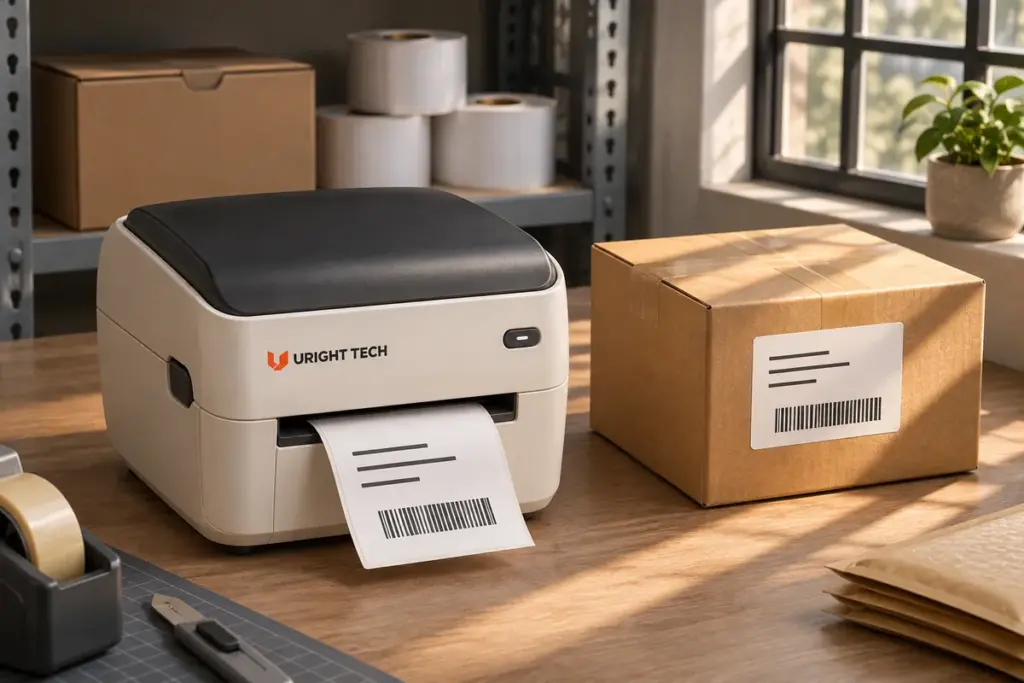
A shipping label can leave the printer with clear text and a readable barcode, then look different when the parcel reaches its next handling point. The background may have darkened, the printed image may have weakened, or marks may have appeared across the symbol.
The useful question is when the change happened. A weak image on a newly printed label calls for a different investigation from a label that was clear at dispatch and changed during storage or transport.
Direct thermal labels use heat-sensitive material to form an image without a ribbon. The printing setup determines the initial output, while the selected material and what happens to it afterward influence whether that output remains usable. This article concentrates on that second part of the process.
Look at the Background as Well as the Printed Image
People often describe any loss of readability as a label “fading.” Two different observations deserve attention: the light background becoming darker, and the originally dark image becoming lighter.
When Thermal Labels Turn Darker
The heat-sensitive layer develops color where the printhead applies energy. Unwanted coloration elsewhere on the label reduces the distinction between the printed marks and their surroundings. The dark bars may still be present, but their background is no longer as light as it was when the label was printed.
Ricoh’s care guidance for direct thermal paper advises keeping its material away from heat sources and prolonged exposure to strong light. It also identifies rubbing and contact with solvents or plasticizers as handling concerns. These are reasons to review the label’s actual journey, rather than assume that background discoloration came from a printer setting.
A patch, streak or gray background is an observation to record. Its appearance alone does not identify the exact exposure or establish that every label in a batch will behave the same way.
When the Printed Image Becomes Lighter
In another case, the background may remain relatively light while text and barcode marks lose density. DYMO’s thermal-label guidance describes prolonged heat or light exposure and plasticizer contact as possible causes of fading for the labels it discusses. Its product-specific storage life should not be applied to unrelated label stock.
Keep a fresh sample where possible. Comparing it with the affected label helps distinguish an initially weak print from a change that occurred later. Both background darkening and image fading can reduce useful contrast, although a photo cannot replace an application-specific readability assessment.
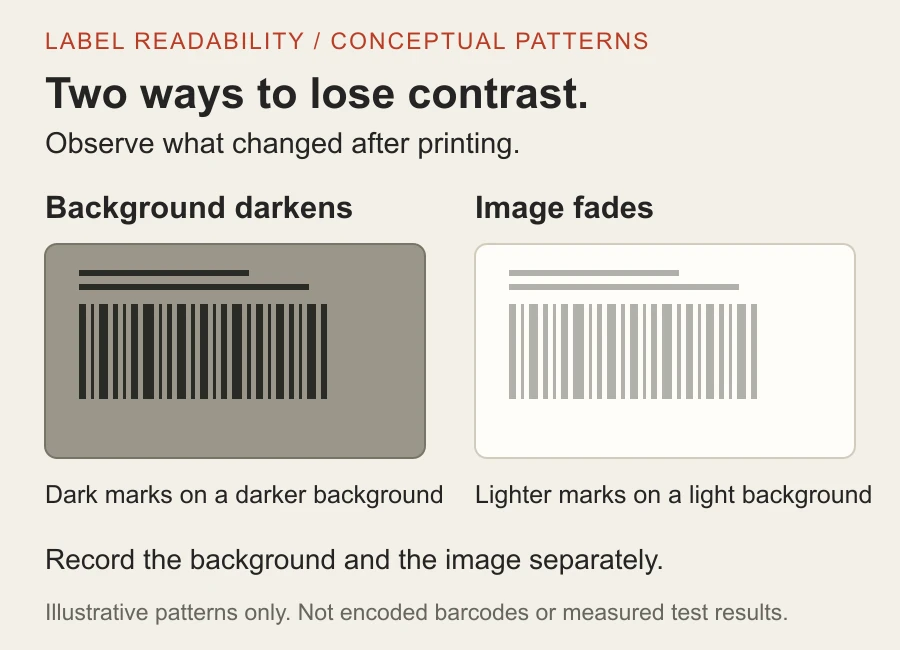
Illustrative patterns only. These are not encoded barcodes, exposed test samples or measured scanner results. No temperature, exposure time or material performance is implied.
Our barcode readability article examines the layout and printing conditions behind a fresh barcode. For a label that changes afterward, retain that initial output as part of the discussion.
Follow the Label Through the Shipment
Consider an illustrative packing operation. Labels are printed indoors, applied to cartons and moved to a dispatch area before loading. The printer sees the packing bench; the label experiences the rest of the route.
Review the stages at which the label waits, moves or contacts other materials. Relevant details may include a sunlit staging position, proximity to a heat source, rubbing during handling, or contact with wrapping, tape or cleaning products. These are possible conditions to investigate, not a diagnosis of the particular shipment.
“Used in a hot country” is too broad a description to establish material suitability. A brief transfer between indoor areas is a different exposure from extended outdoor staging. Explain where the label will be used and how long its information needs to remain readable. Include measured conditions if they are already available; an initial conversation can start with a practical description and photos.
Unused stock also belongs in this review. A roll can spend time in a store room, on the packing desk or in an opened carton before it enters the printer. Keep its identification and follow the material supplier’s packaging, storage and shelf-life instructions. The history before printing can be relevant alongside the history after application.
There is no single temperature limit or preservation period that describes every direct thermal label. Material construction and the supplier’s specified test conditions matter. A claim such as “heat resistant” needs to be connected to the actual grade, exposure and required outcome before it can support a purchasing decision.
Separate Print Darkness from Image Durability
Increasing darkness changes the initial printing conditions. It does not add a protective coating or establish that the label will remain readable through the intended journey. A fresh label that looks darker is not, by itself, evidence of improved storage or transport durability.
Review initial print quality and later readability as related requirements. Start with a suitable fresh image on compatible stock, then discuss how that stock is expected to perform through the required use period. Changes to speed or darkness should follow the selected printer’s and material’s guidance, rather than be treated as a general remedy for a label that has already changed.
Direct thermal materials are available with different constructions. Protective coatings may influence resistance to particular handling or environmental conditions. Their presence does not establish universal protection: the supplier’s information for the chosen material must still be matched to the application.
The printer’s operating-temperature specification is another separate piece of information. It describes the equipment under its specified conditions. It does not establish the temperature resistance of a printed label on a parcel after that parcel leaves the workstation.
Discuss the Required Result with the Supplier
A useful evaluation starts with the actual stock, print layout and intended handling. The material supplier and equipment supplier can help agree what to observe and which documented conditions are relevant. Avoid transferring a storage limit from one manufacturer’s unused paper to another manufacturer’s printed labels.
For an existing problem, photograph a fresh and an affected sample together under the same lighting. Keep the stock reference or batch details, when available, and describe when the change was first noticed. Examples from the ordinary workflow are more useful than an improvised exposure test with an oven, flame or heat gun.
Readability and adhesion also need their own descriptions. A label that stays attached may still have changed visually; a readable label may have an unsuitable adhesive for the parcel surface. This article concentrates on the printed information, while the complete label requirement can be discussed with the supplier.
Bring the Label and the Use Conditions Together
The Uright UR-4250 is a direct thermal label printer for compatible label-printing workflows. Selecting a printer and confirming the label’s required usable life belong in the same project discussion. The printer model alone cannot establish how an unspecified label material will perform after printing.
Send a label photo or sample, explain where it will travel or be stored, and tell us how long the information needs to remain readable. If there is already a problem, include a fresh example and describe whether the background changed, the printed image weakened, or both occurred. You do not need to identify a replacement printer or diagnose the material before contacting us.
We can discuss the printing setup, suitable media requirements and the information needed from the label supplier. Some applications may need a different material or printing approach. Contact us by email or WhatsApp with the details you already have.